Streamline Your Billing with a Clean Invoice Template
In the world of business, clarity is currency. Whether you're a freelance designer, a small business owner, or a content creator, your invoice is often the final touchpoint in a transaction. It needs to look professional, be easy to read, and function flawlessly. The Clean Invoice Template is built on this principle of purposeful simplicity. It’s not just a document; it’s a tool designed to make your billing process smooth, professional, and efficient.
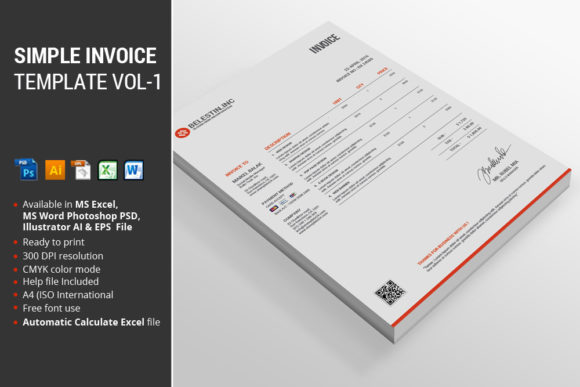
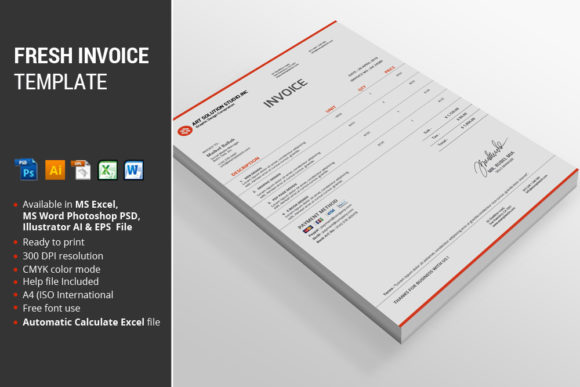
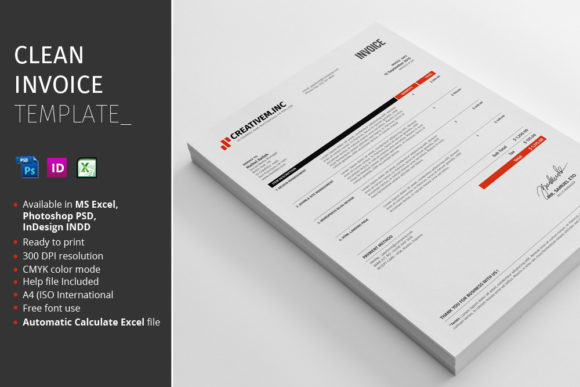
Visually, this template embraces a modern, minimalist aesthetic. The design prioritizes whitespace and a clear typographic hierarchy, ensuring that every piece of information—from your business name to the final amount due—is immediately accessible. The available red accent color provides a subtle, professional pop that can draw the eye to key details like totals or payment terms without overwhelming the page. It’s a style that communicates competence and attention to detail, reinforcing a positive brand perception for any business.
What's Inside the Package?
When you invest in a premium design asset, you expect versatility and professional-grade files. This package delivers exactly that, providing a comprehensive toolkit for your invoicing needs. You receive three core files: one Microsoft Excel 2010 file, one Adobe Photoshop PSD file, and one Adobe InDesign INDD file. This multi-format approach is a significant practical advantage. The Excel file is perfect for those who need straightforward, functional billing with automatic calculations—no manual math required. The PSD and INDD files are ideal for designers or brand-conscious businesses that want to integrate the invoice into a larger suite of branded materials, allowing for full customization of every visual element.
Additionally, a detailed Instructions PDF is included. This guide is crucial for getting the most out of the package, especially for the Adobe files. It typically covers font links (a key detail for maintaining the design's integrity), setup instructions, and customization tips. The layers within the Photoshop and InDesign files are fully organized, a feature that any designer will appreciate. It means you can quickly locate and edit specific text blocks, color swatches, or graphical elements without sifting through a chaotic file structure. The template is formatted for A4 (ISO International) size, ensuring compatibility with standard printers worldwide, and uses CMYK color mode, the professional standard for print production.
Practical Applications for Your Business
The true value of a clean invoice template lies in its adaptability. For the freelance graphic designer or photographer, the Photoshop and InDesign files allow you to seamlessly match the invoice to your existing brand identity. You can swap the red accent for your brand's primary color, insert your logo precisely, and ensure that every client interaction reinforces your visual style. This consistency across proposals, contracts, and invoices builds recognition and professionalism.
For entrepreneurs, bloggers, and e-commerce store owners, the Excel file is a workhorse. Its automatic calculation feature minimizes errors and saves time, which is invaluable when you're managing multiple clients or orders. The clean layout ensures that clients can quickly understand the charges, which helps in getting paid faster. The template's professional appearance also elevates your operation, making a solo venture appear as established and reliable as a larger firm.
Even for personal projects or small-scale side hustles, this template provides a structured system. Crafters selling on Etsy, consultants offering coaching sessions, or content creators managing sponsorships can all benefit from having a polished, ready-to-use document. It takes the guesswork and formatting hassle out of billing, allowing you to focus on your core work.
Integrating the Template into Your Workflow
Adopting a new design asset should enhance, not complicate, your process. Start by evaluating which file format aligns with your current workflow. If you primarily work in Microsoft Office and need functional billing, begin with the Excel file. If you use Adobe Creative Cloud for your brand materials, dive into the PSD or INDD file to create a master branded template.
A key step is testing the font pairings. The instructions will guide you to the fonts used in the design. Consider how these fonts work with your existing brand typography. A strong invoice design often uses a clear, legible sans-serif font for body text and a complementary serif or display font for headings. This creates a visual hierarchy that guides the reader's eye naturally from your company name down to the line items and total. Ensure the chosen fonts maintain excellent readability at smaller sizes, as invoices are often printed or viewed on screens at reduced zoom levels.
Before sending your first invoice, do a test print. Check that the colors translate accurately from screen to paper and that all text is crisp. Review the organized layers in your Adobe file to understand how each element is grouped—this knowledge will make future edits swift. Remember, the goal of this template is to provide a reliable, professional framework. Once customized to your brand, it becomes a seamless part of your business operations, saving you time and reinforcing your professional image with every bill you send. This clean invoice template is more than a file; it’s a foundational piece of a well-run business.